Before you start
- Any Android emulator running Android 9.0 (API 28) or newer. The guides below cover the Android Studio emulator and LDPlayer. On others, like BlueStacks, MuMu, Nox or MEmu, the idea is the same: add root and LSPosed, then follow Part 1.
- Android Studio emulator: it should already have root (Magisk) and Vector, the current LSPosed. If it does not, Part 1 links to both. Set them up first, then come back.
- LDPlayer: nothing else needed. The LDPlayer guide starts from a fresh LDPlayer and covers root (Magisk Delta) and LSPosed IT too.
- The Hide My Emulator APK and, for Premium, the HME License app from Google Play.
Release notes and earlier versions are on the GitHub releases page.
Not sure what an app actually checks? Read why apps can tell you are running an emulator.
Part 1: Android Studio emulator
For an Android Studio emulator that already has root (Magisk) and Vector, the current LSPosed. Six steps, about five minutes. Screenshots come from the Android Studio emulator.
What you need
If your emulator already has root and LSPosed, you only need Hide My Emulator and HME License. The two checker apps are optional, for testing the result at the end.
Vector (LSPosed)
The LSPosed version to use on the Android Studio emulator. It loads Hide My Emulator into the apps you pick. Install it after Magisk.
GetStep 1: Install the Hide My Emulator APK
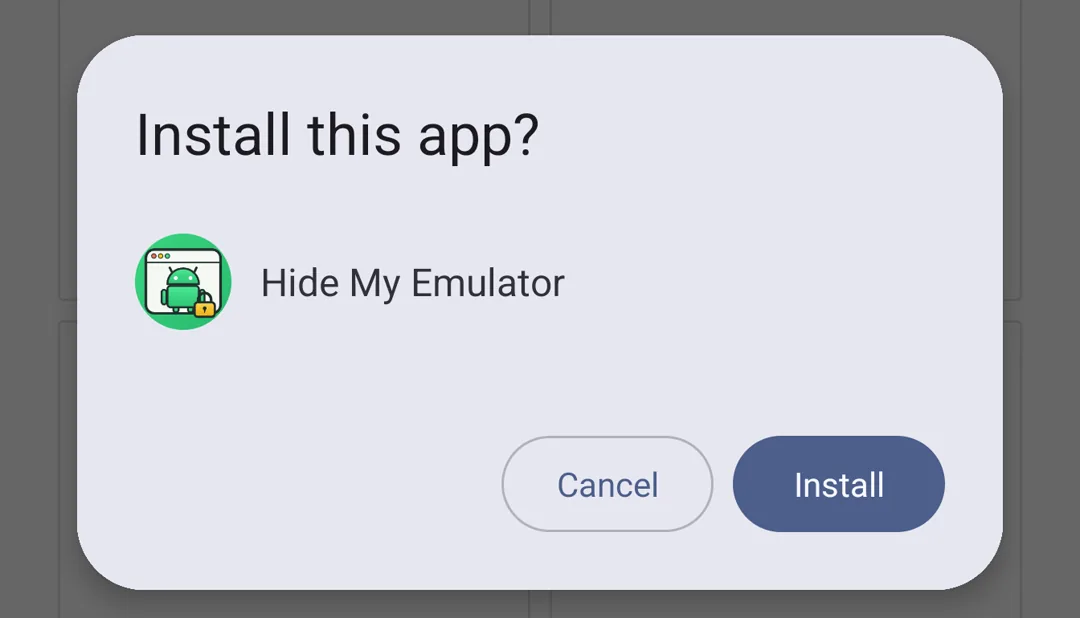
Install the APK like any sideloaded app: drag it onto the emulator window, open it from a file manager, or use adb install.
- Allow installs from unknown sources if Android asks.
- Do not open the app yet. The module has to be turned on in LSPosed first.
Step 2: Turn the module on in LSPosed and pick the apps
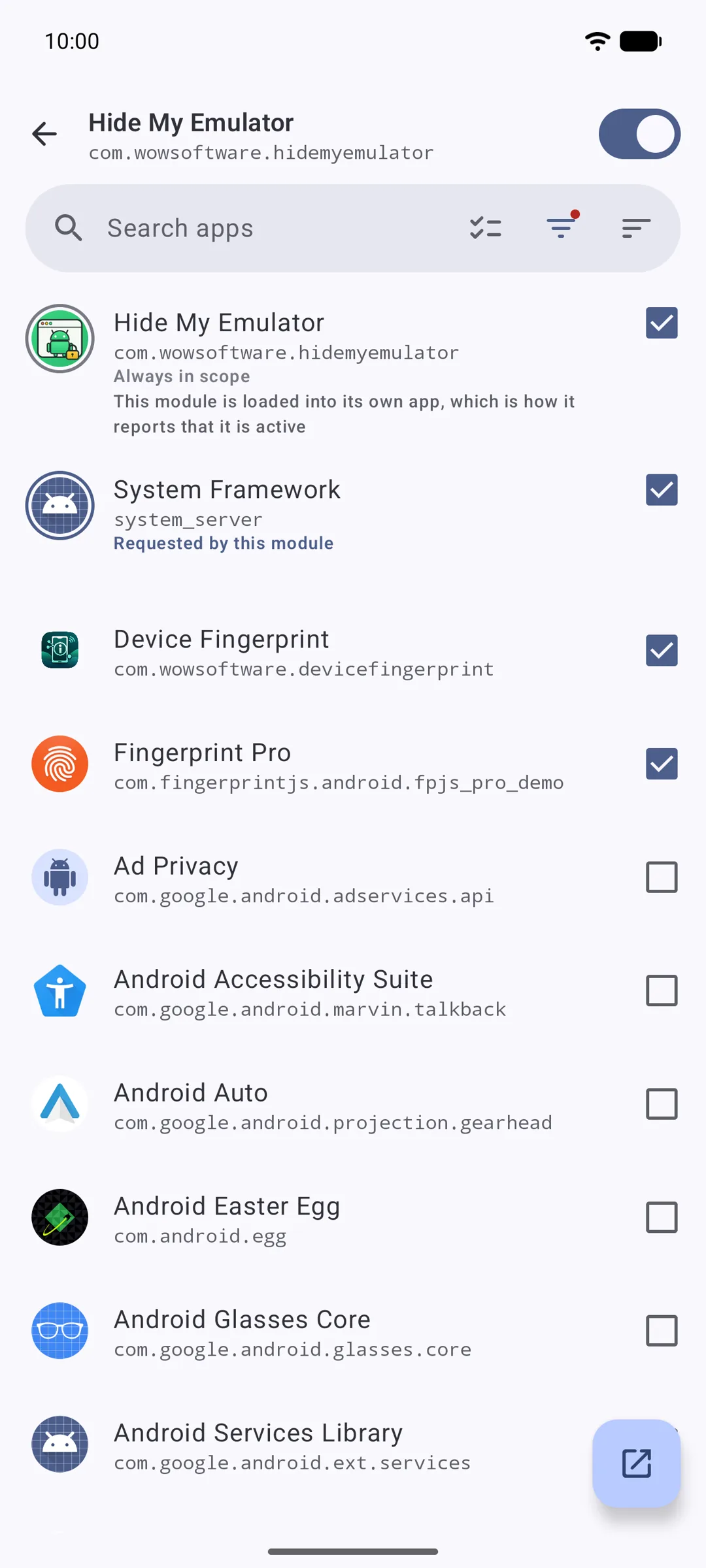
Open LSPosed Manager, turn the module on and tick every app that should see a real phone. Hide My Emulator itself and System Framework are already ticked; leave them on.
- LSPosed Manager › Modules › Hide My Emulator.
- Turn on the switch at the top of the page.
- Leave Hide My Emulator and System Framework ticked, then tick each app you want to protect.
Step 3: Open Hide My Emulator and confirm "Module Active"
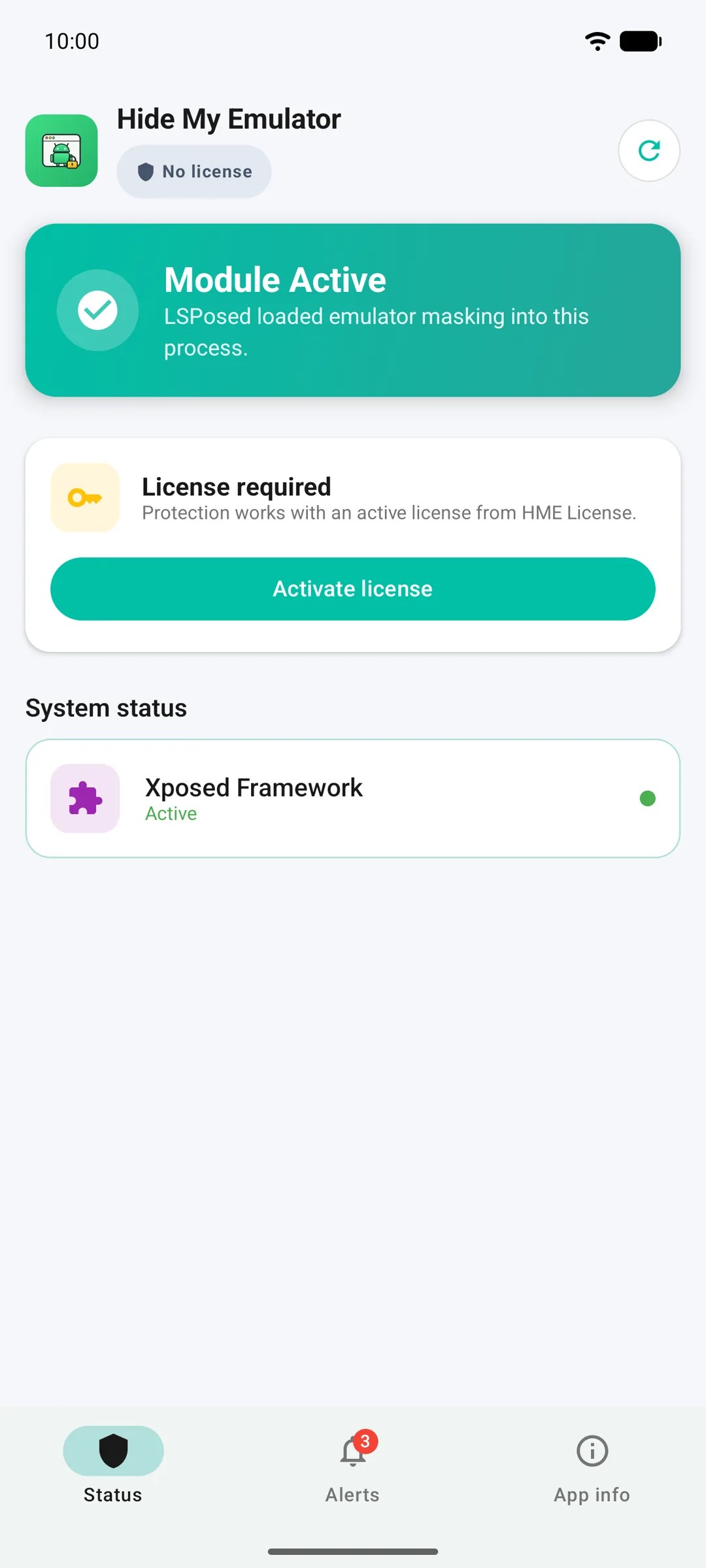
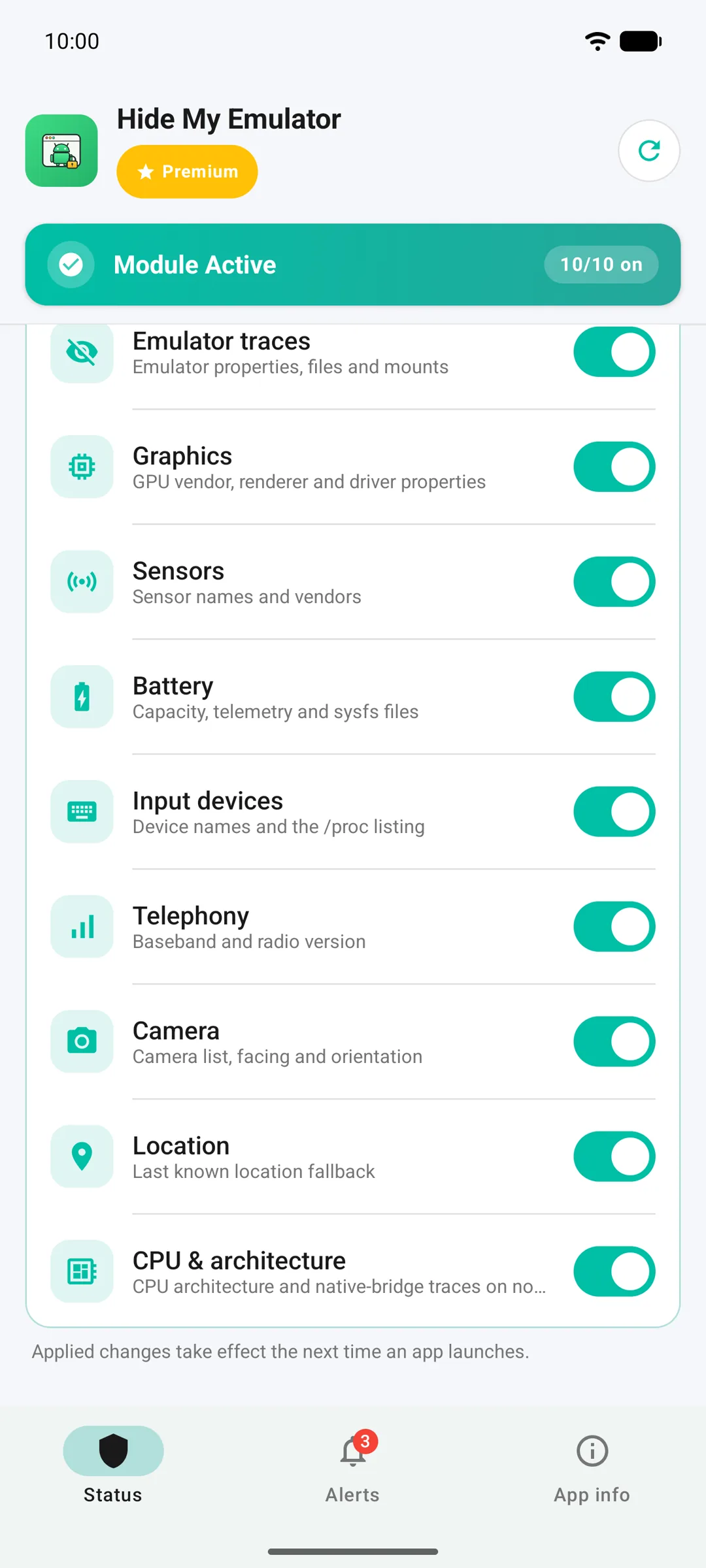
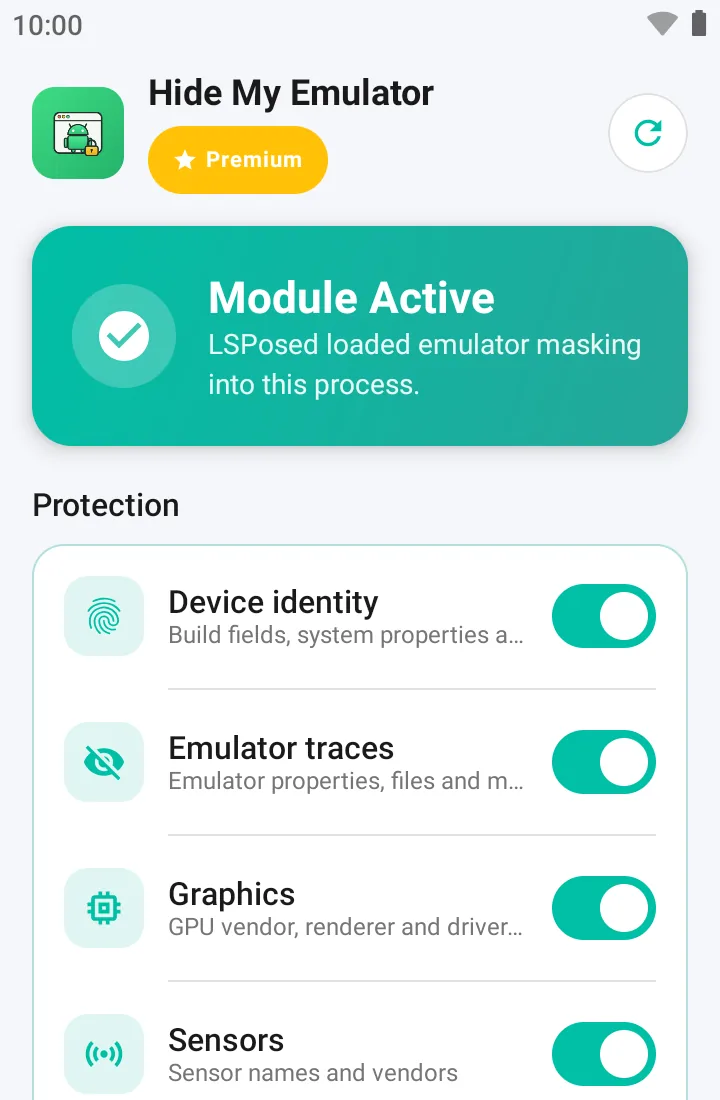
Open Hide My Emulator. The Status tab shows a green "Module Active" card when LSPosed has loaded the module.
- If the card says "Module Inactive", force-stop Hide My Emulator from Settings › Apps and open it again, or reboot the emulator once.
- Until Premium is active, the card below says "License required". Step 4 takes care of that.
Step 4: Activate Premium with HME License
Premium is a monthly subscription handled by the HME License app. Install it from Google Play, subscribe, then return to Hide My Emulator.
- Install HME License from the What you need list and sign in to Google Play in the emulator.
- Subscribe inside HME License, or tap "Activate license" on the Status tab to jump there.
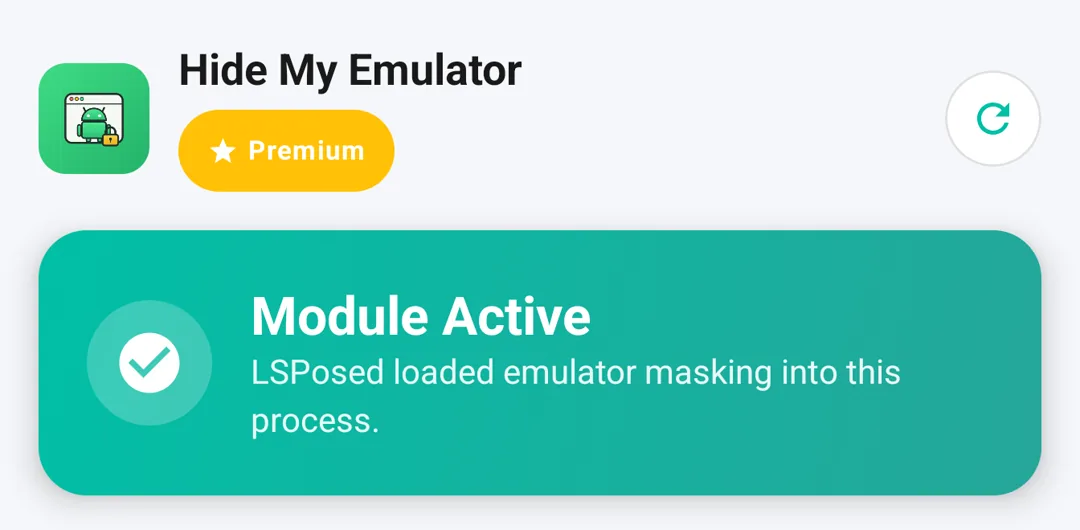
- Reopen Hide My Emulator: the pill under the app name switches to Premium and the Protection switches appear. App info › License shows the account and the expiry date.
Step 5: Choose what to mask
The Protection section on the Status tab has one switch per group: device identity, emulator traces, graphics, sensors, battery, input devices, telephony, camera, location, processor, root and Xposed. Leave them all on unless a specific app misbehaves.
- After changing a switch, tap Apply. Changes take effect the next time a ticked app opens.
- The switches appear only while the module is active and Premium is on.
Step 6: Force-stop the target app and open it again
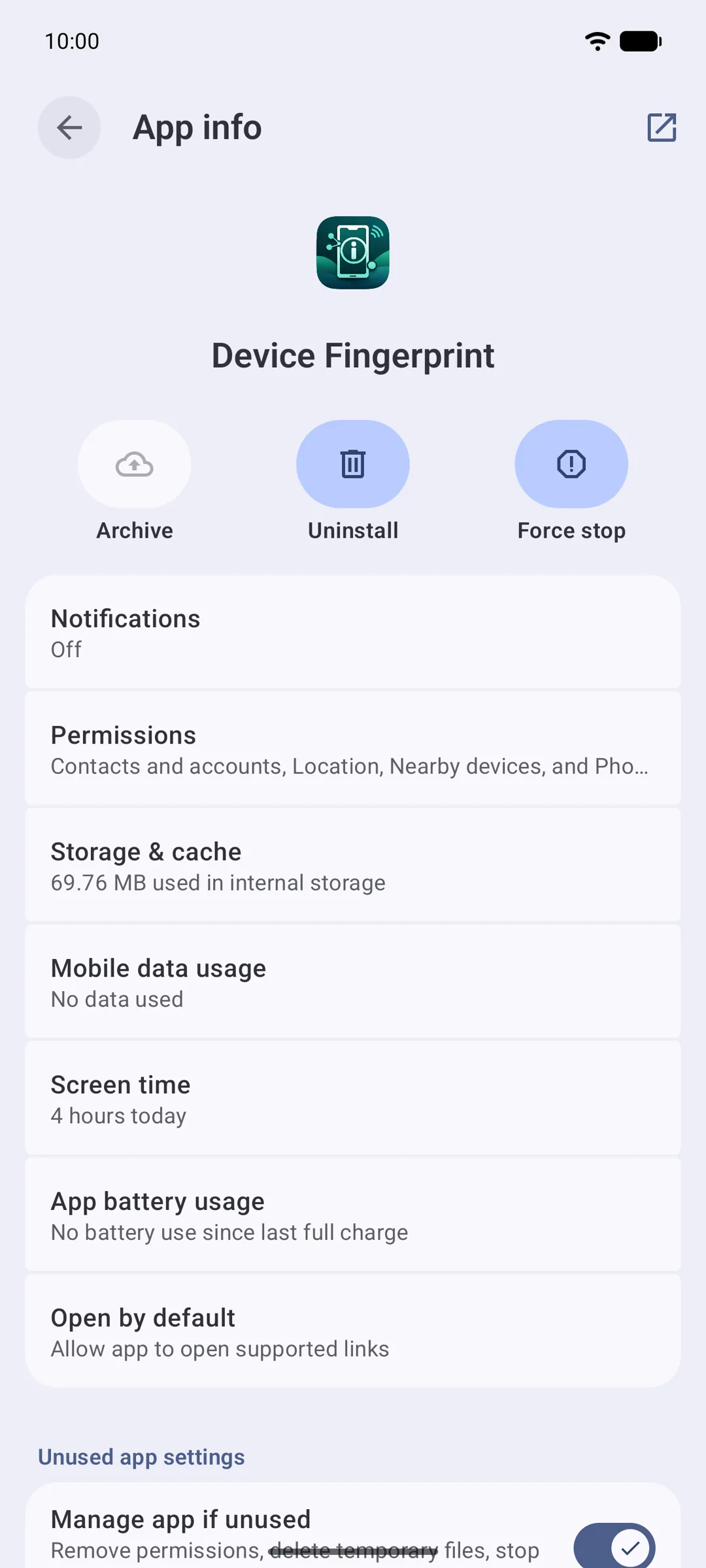
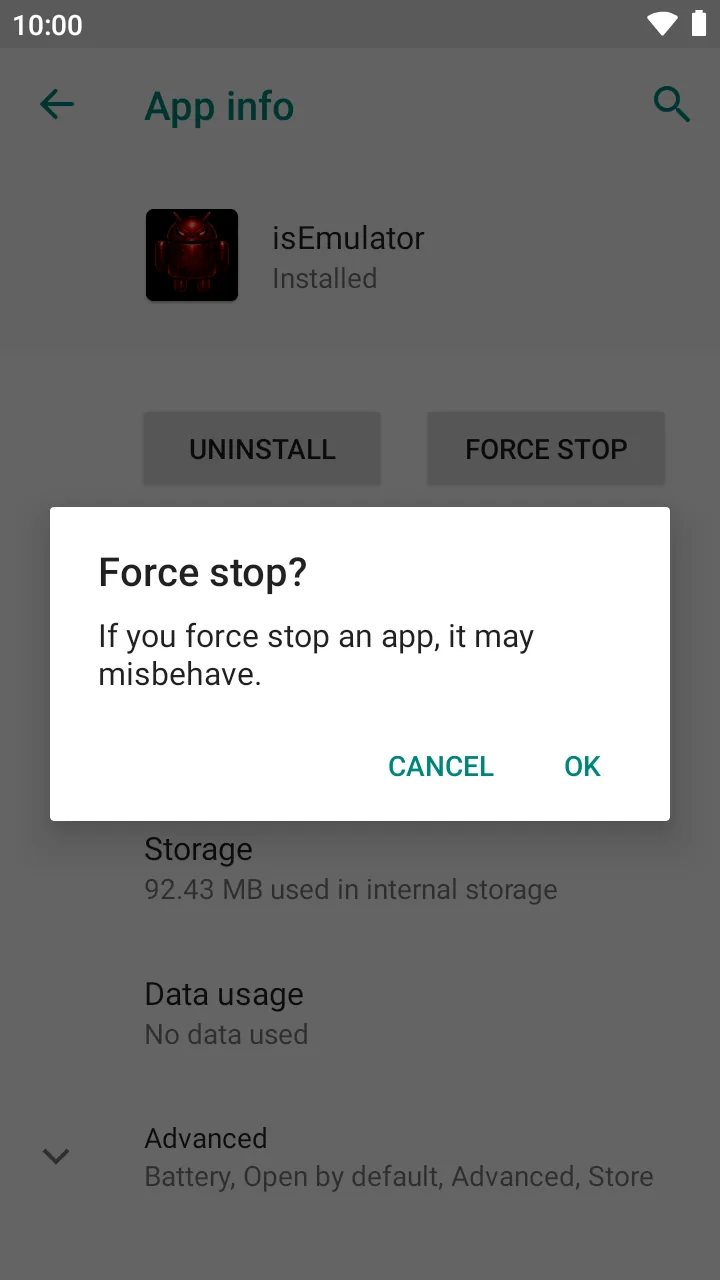
Masking applies when an app starts, so every ticked app has to be fully restarted once. Force-stop it from Settings › Apps, open it again, and it now sees a real phone.
- Settings › Apps › the app › Force stop, then open it from the launcher.
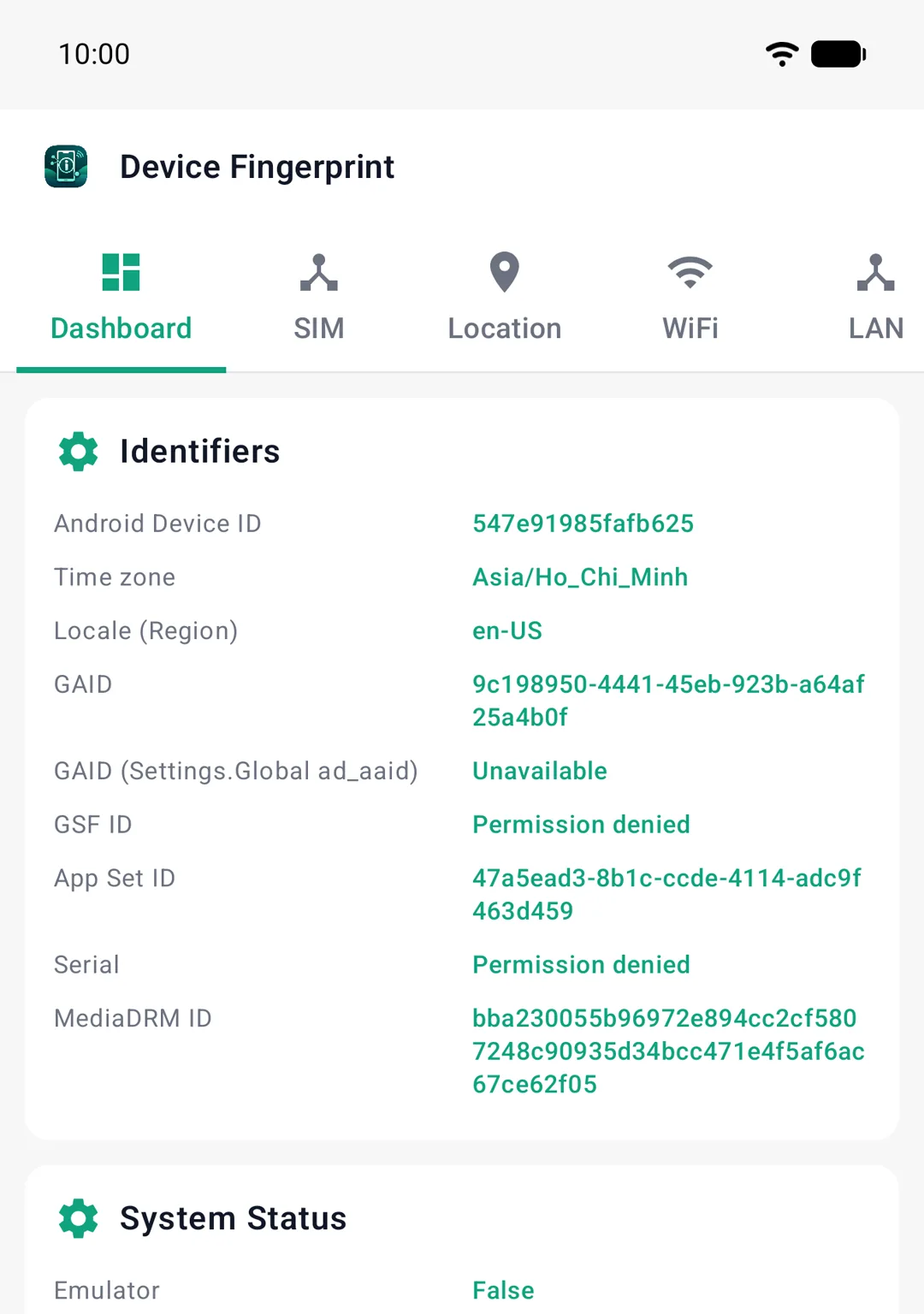
- A device-info or detector app added to the scope should now report a real phone instead of the emulator, and no LSPosed.
- If an app still reports the emulator, confirm it is ticked in the LSPosed scope and was fully stopped, not just sent to the background.
Part 2: LDPlayer
Starts from a fresh LDPlayer 9 instance (Android 9). You root it with Magisk Delta, add LSPosed IT, then set up Hide My Emulator. Plan for about fifteen minutes and two restarts. Screenshots come from LDPlayer 9.
What you need
Download the Magisk Delta APK and the LSPosed IT zip with the browser inside LDPlayer, so they land in its Download folder. Install the two checker apps if you want to test the result at the end.
LSPosed IT v1.9.2
The LSPosed version to use on LDPlayer, not Vector. A zip you install from inside Kitsune Mask.
GetStep 1: Turn on root and a writable system disk
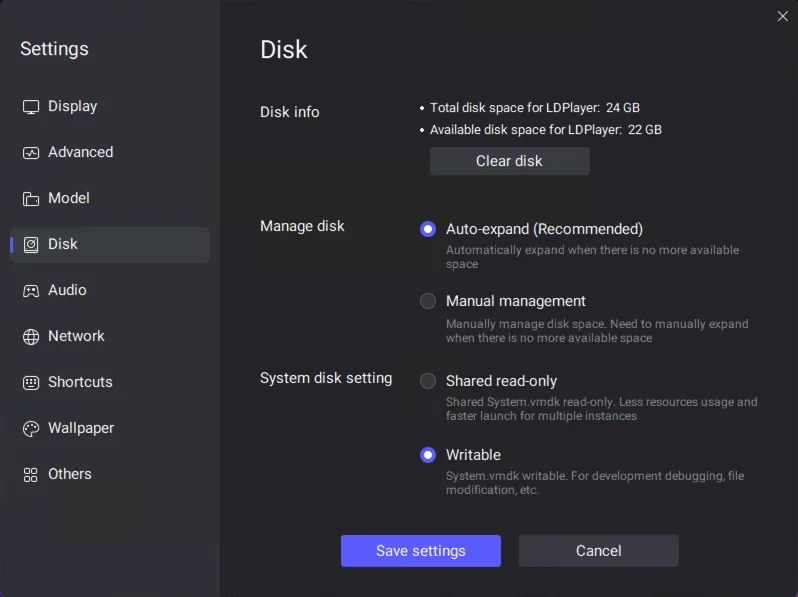
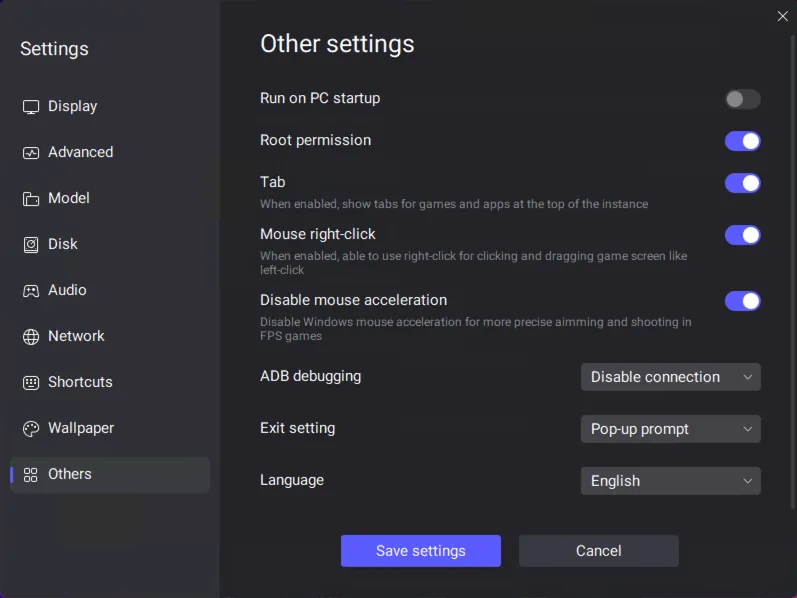
Open LDPlayer Settings with the gear icon on the right-hand toolbar. Change two settings, then let LDPlayer restart.
- Disk › System disk setting › Writable.
- Others › Root permission › On.
- Tap Save settings, then Restart now.
Step 2: Install Magisk Delta (Kitsune Mask) into the system
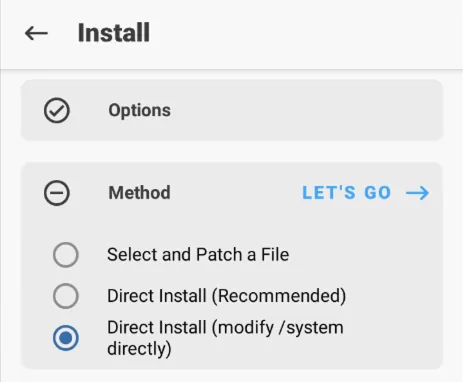
Open File Manager from the System Apps folder, go to Download and install the Magisk Delta APK. Open Kitsune Mask and allow its Superuser request.
- Tap Install next to Magisk. If the next screen does not move on, close Kitsune Mask, open it again and tap Install once more.
- Tap Next, choose the third method, "Direct Install (modify /system directly)", then tap Let's go.
- When it says Done, tap Reboot.
Step 3: Remove LDPlayer's own root file
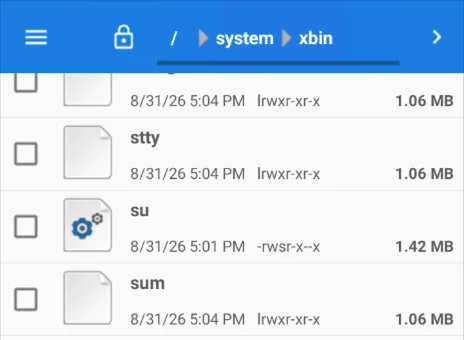
LDPlayer comes with its own root file, and checker apps look for it. In File Manager, go to /system/xbin and delete the file named su if it is there.
- Tick su, open the ⋮ menu, tap Delete selection, then Yes.
- If File Manager says the operation failed, carry on. The rest of the guide still works.
Step 4: Turn on Zygisk
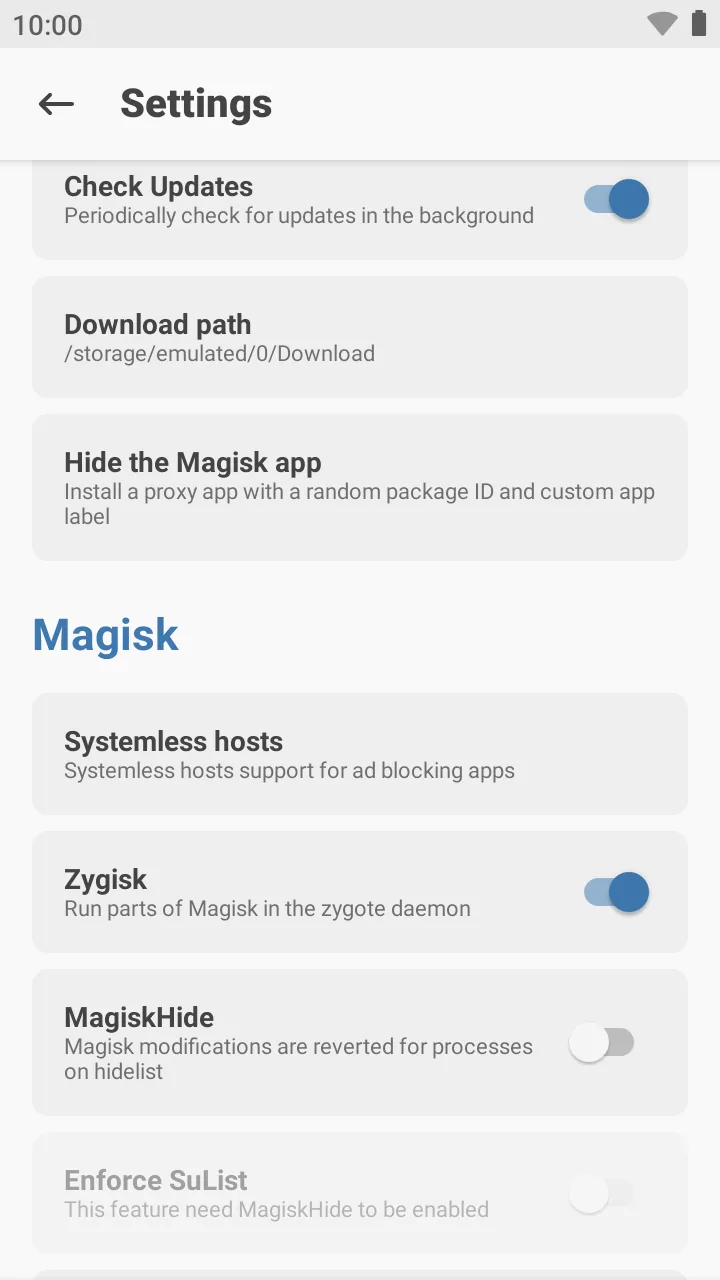
Open Kitsune Mask, tap the gear icon and turn on Zygisk. It is off by default and LSPosed needs it, so do this before Step 5.
- The Home tab keeps showing Zygisk: No until the next restart. That is normal.
Step 5: Install LSPosed IT and restart
In Kitsune Mask, open Modules › Install from storage, pick the LSPosed IT zip from Downloads and tap OK. When it finishes, tap Reboot.
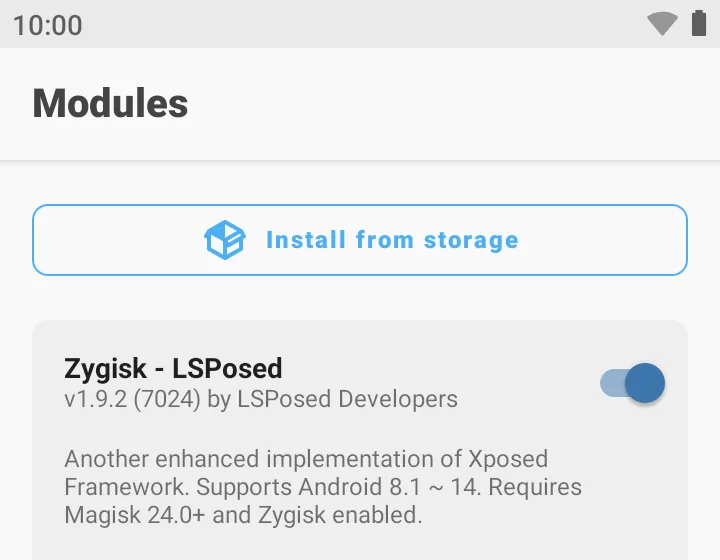
- After the restart, Modules lists "Zygisk - LSPosed" with its switch on.
Step 6: Install the Hide My Emulator APK
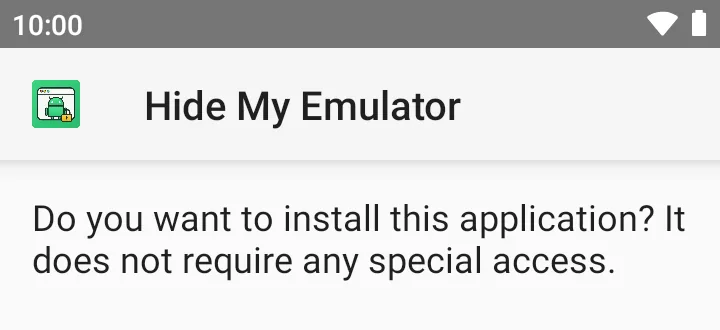
Download Hide My Emulator inside LDPlayer, or drag the APK onto the LDPlayer window. Open it from File Manager › Download and tap Install.
- Do not open the app yet. Turn it on in LSPosed first.
Step 7: Turn the module on in LSPosed and pick the apps
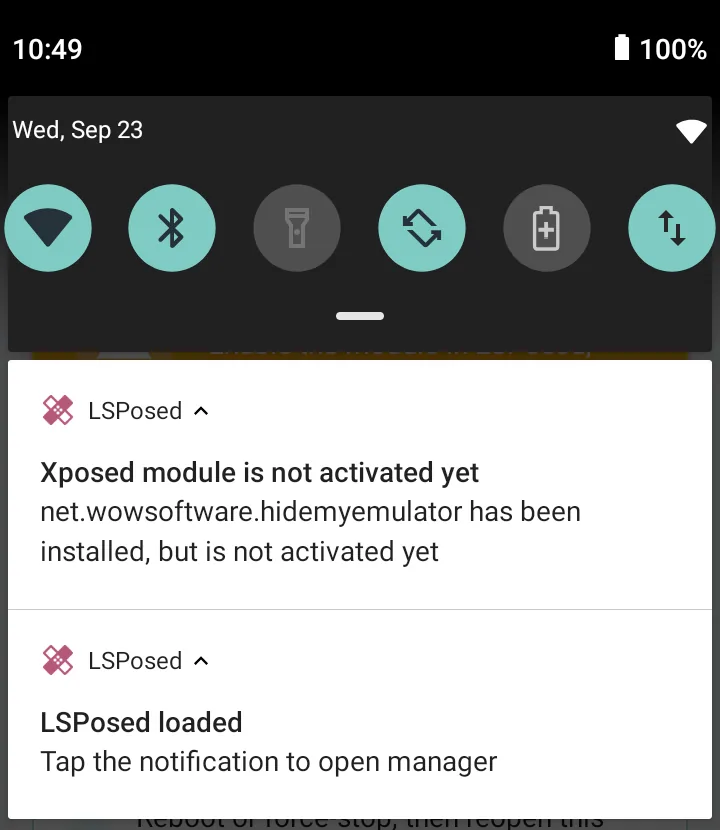
On LDPlayer, LSPosed has no app icon. Pull down the notification shade and tap "LSPosed loaded" to open it.
- The first time, LSPosed offers Create shortcut. Tap it if you want an icon on the home screen.
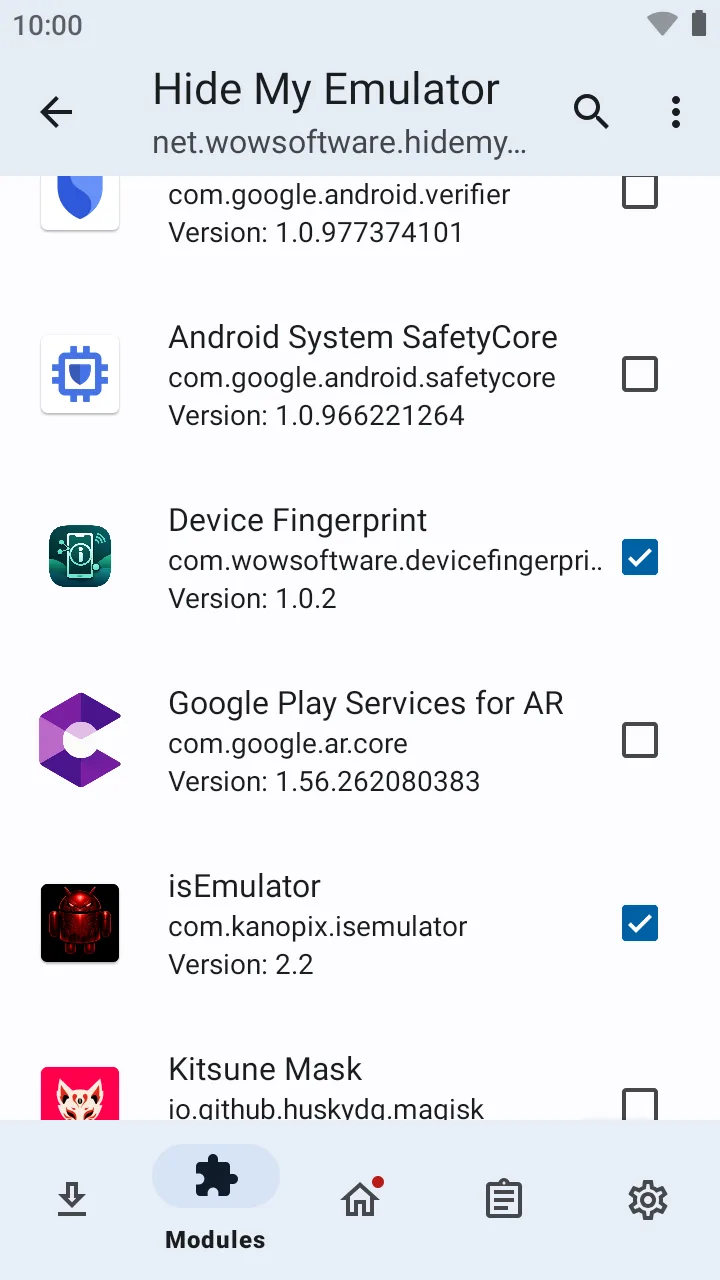
- Modules › Hide My Emulator › turn on Enable module.
- Tick every app that should see a real phone. Each tick saves right away.
Step 8: Open Hide My Emulator and activate Premium
Open Hide My Emulator. The Status tab shows a green "Module Active" card. Then subscribe in the HME License app, as in Step 4 of the Android Studio guide.
- If the card says "Module Inactive", force-stop Hide My Emulator and open it again, or restart LDPlayer once.
- With Premium on, the Protection switches appear. Leave them all on. If you change one, tap Apply.
Step 9: Force-stop the target app and check
Force-stop each ticked app from Settings › Apps, then open it again. It now sees a real phone.
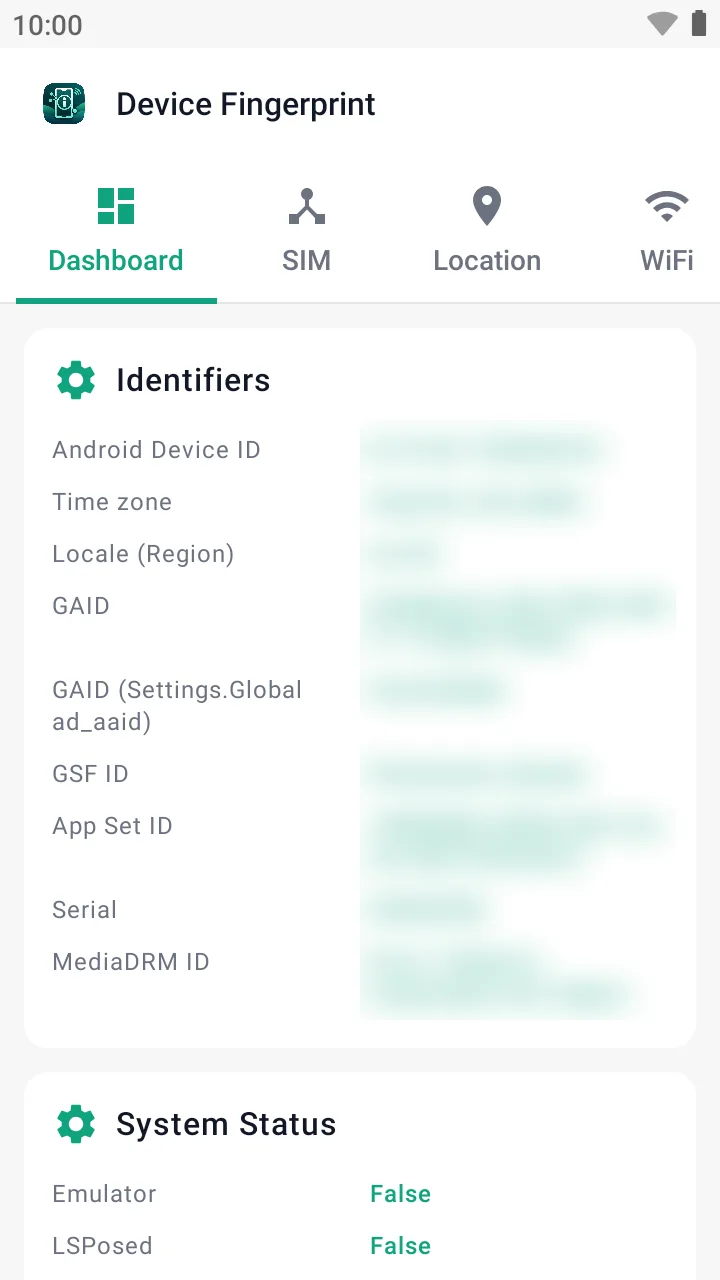
- Device Fingerprint should show Emulator: False.
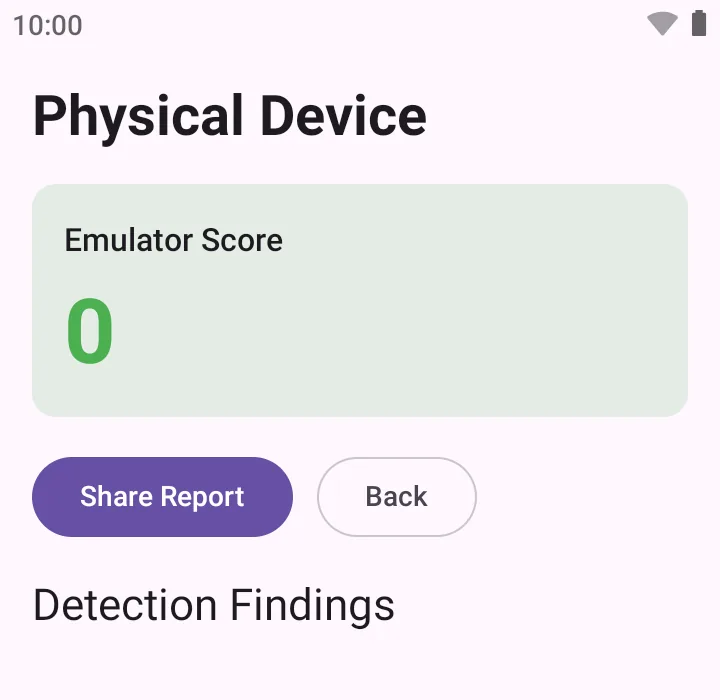
- isEmulator should show a score of 0 and no findings. It may say "Physical Device" even before you start, so look at the score.
Troubleshooting
- "Module Inactive" after enabling: make sure the switch at the top of the module's LSPosed page is on and Hide My Emulator is still ticked (Step 2), then reboot the emulator.
- A ticked app still sees the emulator: force-stop the app from Settings › Apps and open it again; masking only applies at launch.
- Premium pill not showing: open HME License, confirm the subscription is active, then reopen Hide My Emulator.
- A root checker still sees root or LSPosed: turn on the Hide root and Hide Xposed switches (Step 5), tap Apply, then force-stop the app and open it again.
- LDPlayer: Kitsune Mask's Install screen does not move past Method. Close Kitsune Mask, open it again and tap Install once more (Step 2).
- LDPlayer: there is no LSPosed icon. That is normal. Open it from the "LSPosed loaded" notification, or tap Create shortcut the first time (Step 7).
- LDPlayer: LSPosed does not show up after the restart. Check that Zygisk is on (Step 4), install the LSPosed zip again and restart.